
WiFi survey software for Windows. Walk your building, click where you stand, and get a Wi-Fi heat map of exactly where the signal holds up and where it falls apart.
Everything runs on your own PC. No cloud, no account, and none of your survey data leaves the machine.
Every access point in range: signal, band, channel, security and vendor, refreshed live. Your own network is highlighted.
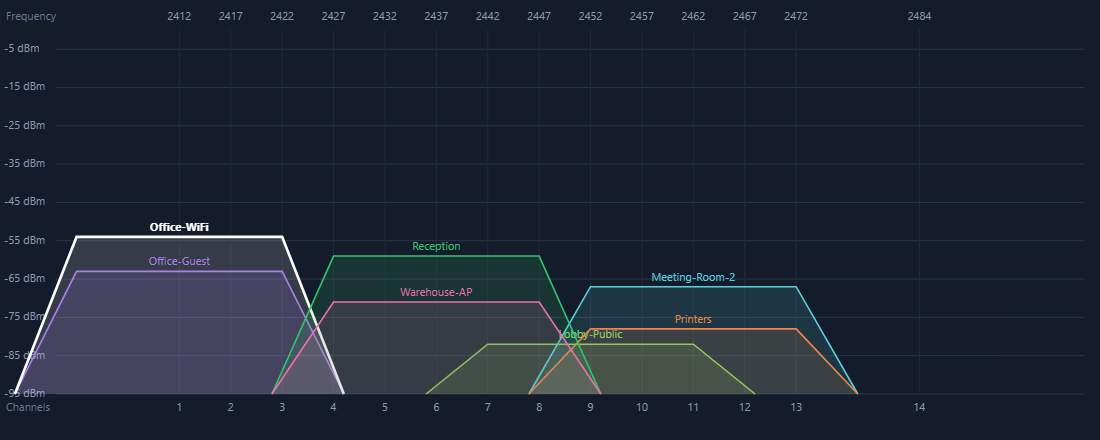
Signal strength over time, plus the 2.4 / 5 / 6 GHz spectrum, so you can see who you are competing with and pick a clear channel.
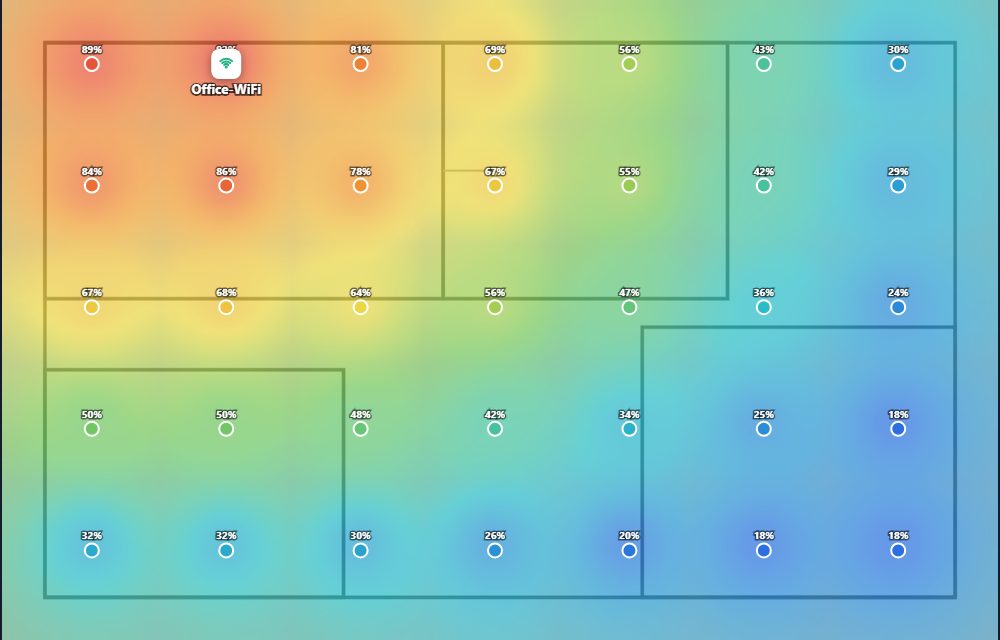
Load a floor plan — image or PDF — then click where you are standing. Get a Wi-Fi heat map of signal, noise, interference or overall quality, and export it as a PDF report.
Place virtual access points on the plan and see predicted coverage before you spend anything on hardware.
From payment to your first heatmap in a few minutes.
Pay with PayPal. Your licence key is emailed immediately and shown on screen.
Download, unzip, run Setup. Everything needed is included — nothing else to install.
Paste your key once. After that the app works offline.
Load a floor plan, walk your space clicking each stop, and read the map.
Windows 10 or 11 with a Wi-Fi adapter. Everything else is included in the download — there is nothing else to install.
One. If you move to a different machine you can release the licence in the app and activate it on the new one, or write to us and we will transfer it.
No. Scanning and heatmaps happen entirely on your PC. The only thing that leaves your machine is a one-off activation check when you enter your key, which sends a hashed machine fingerprint and nothing else.
Only to activate, and briefly about once a month to check the licence is still valid. Surveying works offline.
No. One payment, and the licence stays yours.
A phone analyzer shows what the signal is where you are standing right now. This records measurements as you walk and builds a heat map of the whole floor, so you can see coverage across a building rather than at one spot — and it works on Windows, where you are probably already documenting the network.
On a machine with no Wi-Fi adapter the app runs against a simulated network so you can explore every screen. To survey a real building you need a licence.